Building an AI Chatbot for My Portfolio
How I implemented a multilingual AI assistant into my personal website
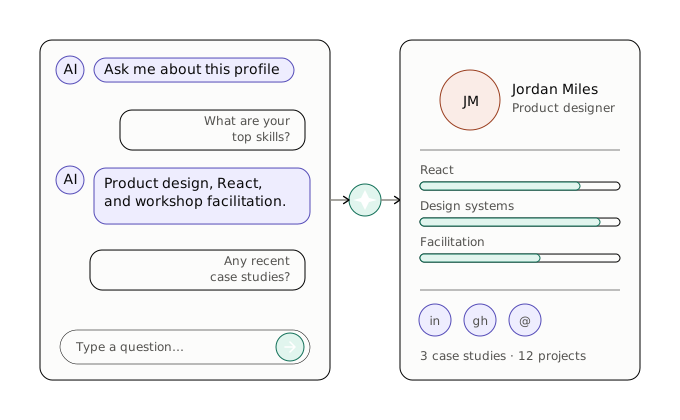
I always wanted to add something interactive to my portfolio, something more than just static sections and project cards. The idea of a chatbot that could answer questions about my experience, skills, and projects felt like a fun challenge and a good way to stand out.
Here's how I built it.
The Two Modes
The chatbot works in two different modes, depending on whether an external API is configured.
Local mode is the default. When a user types a message, the system matches it against a list of predefined topics using a keyword scoring algorithm. If it finds a match, it returns a translated response from the i18n files. No server calls, no latency, it all happens in the browser.
API mode kicks in when you point the chatbot to an external endpoint, in my case an AWS Lambda behind API Gateway. In this mode, the message is sent to the server along with a session ID and the current locale. The server processes the conversation and returns a response along with the full conversation history, which replaces the local state.
The beauty of this design is the fallback: if the API fails for any reason, the chatbot silently falls back to local mode and shows a small notification to the user. The experience never breaks.
How Topic Matching Works
The core of the local mode is a simple but effective scoring algorithm. Each topic (experience, skills, projects, contact, etc.) has a list of keywords. When a message comes in, the system checks which keywords appear in the text and sums up their lengths. The topic with the highest score wins.
Why keyword length? Because longer phrases are more specific. If someone types "tell me about yourself", that scores higher than just matching the word "about". It is a lightweight approach that avoids the overhead of machine learning while still giving reasonable results.
If no keywords match at all, the chatbot picks one of three fallback responses at random, so it does not feel repetitive.
Multilingual Support
The chatbot supports five languages: English, Spanish, Catalan, German, and French. This works at two levels.
First, the keyword lists include terms in all five languages. So a Spanish user typing "experiencia" or a German user typing "erfahrung" will still match the experience topic.
Second, all responses are stored as translation keys. The same topic match returns the same key regardless of language, and the i18n system resolves it to the correct translation based on the active locale. When using the external API, the locale is sent along with the request so the backend can respond in the right language too.
Analytics
I wanted to understand how people interact with the chatbot, so I set up dual analytics.
On the client side, events are pushed to Google Tag Manager. This tracks messages sent, responses received, chat open/close, and resets. Each event includes the locale and, for responses, whether they came from the API, the fallback, or the local mock.
On the server side, every event is also sent to a lightweight Netlify server function that appends a JSON line to a log file. This gives me durable records with extra metadata like IP address and user agent, useful for spotting patterns or issues that GTM might not capture.
Both analytics paths are fire-and-forget. If either fails, the user never knows and the chat keeps working.
The Tech Stack
The chatbot is built with the same stack as the rest of the portfolio: Nuxt 4, Vue 3, TypeScript, and Tailwind CSS. A few things worth mentioning:
- Composables keep the logic clean. The
useChatbotcomposable handles all state, API calls, fallback logic, and analytics. The component itself is purely presentational. - MDC (Markdown Components) render assistant responses. This means bot answers can include headings, lists, code blocks, and links, all styled to match the site.
- Vue's Transition component handles the open/close animation of the chat panel.
- Floating Vue powers the tooltips on skill icons, reused in the chatbot suggestions.
The whole thing is around 500 lines of code across four files: the component, the composable, the topic data, and the analytics server function.
Wrapping Up
Building this chatbot taught me a lot about designing for graceful degradation. The dual-mode approach means the chatbot works everywhere, even without a backend, and the API just makes it smarter when available.
If you want to try it, scroll to the bottom right of this page and click the blue circle. Ask me about my projects or experience, and see what comes back.